美国区:
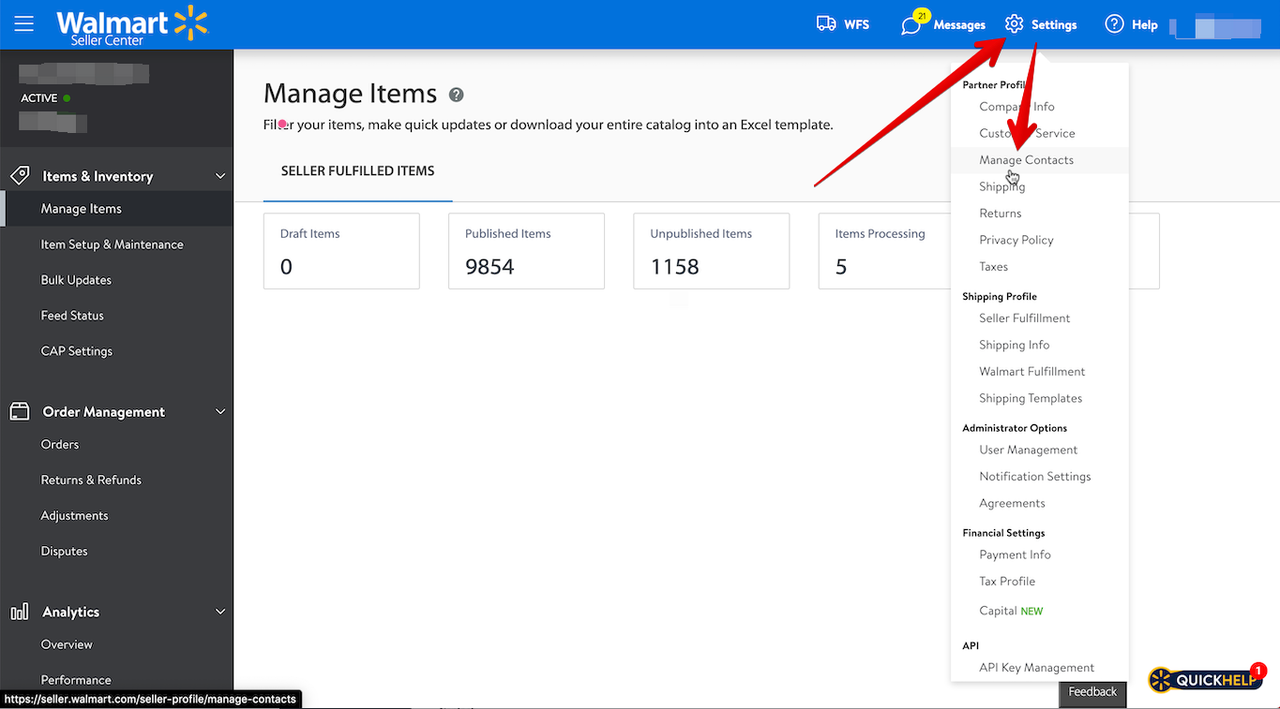
登录您的 Walmart Seller Center 账户 。然后点击“Settings”(设置)并选择“Manage Contacts”(管理联系人)。
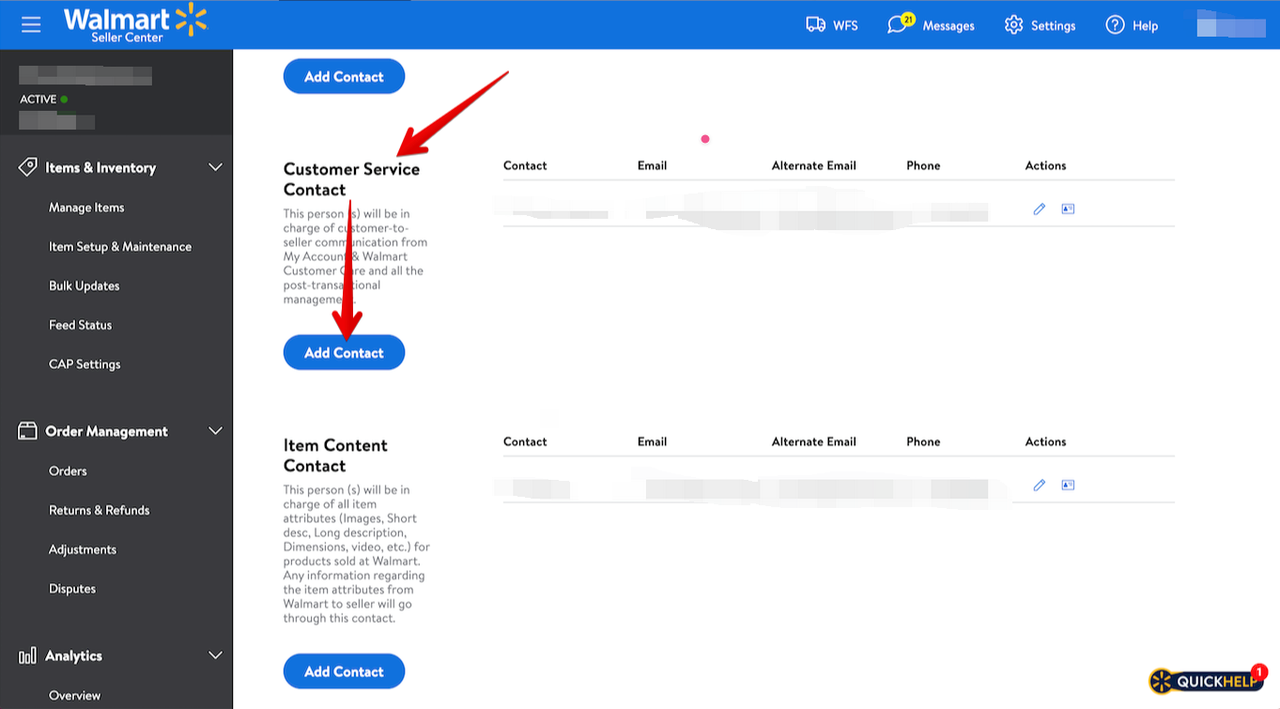
向下滚动至“Customer Service Contact”,然后点击“Add Contact”。
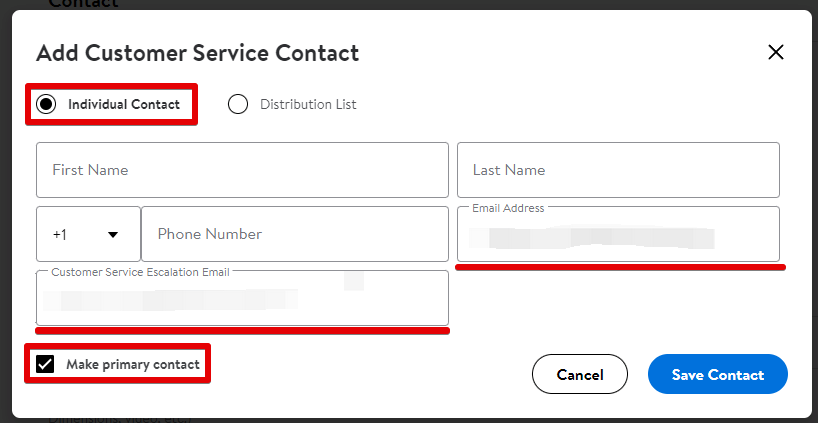
确保已选择“Individual Contact”。勾选“Make primary contact”复选框。然后将您的 QuickCep Email 粘贴到“Email Address”和“Customer Service Escalation Email”字段中。
加拿大区
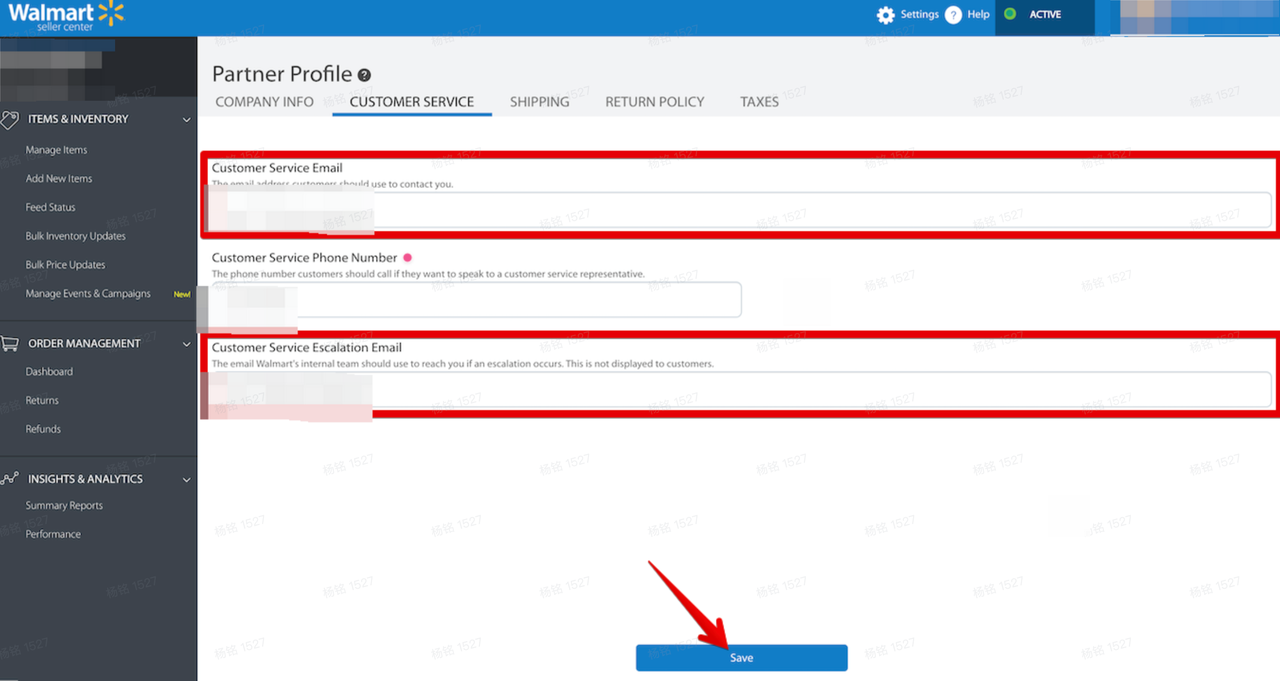
登录您的 Walmart Seller Center 账户 。然后点击Settings并选择Customer Service:
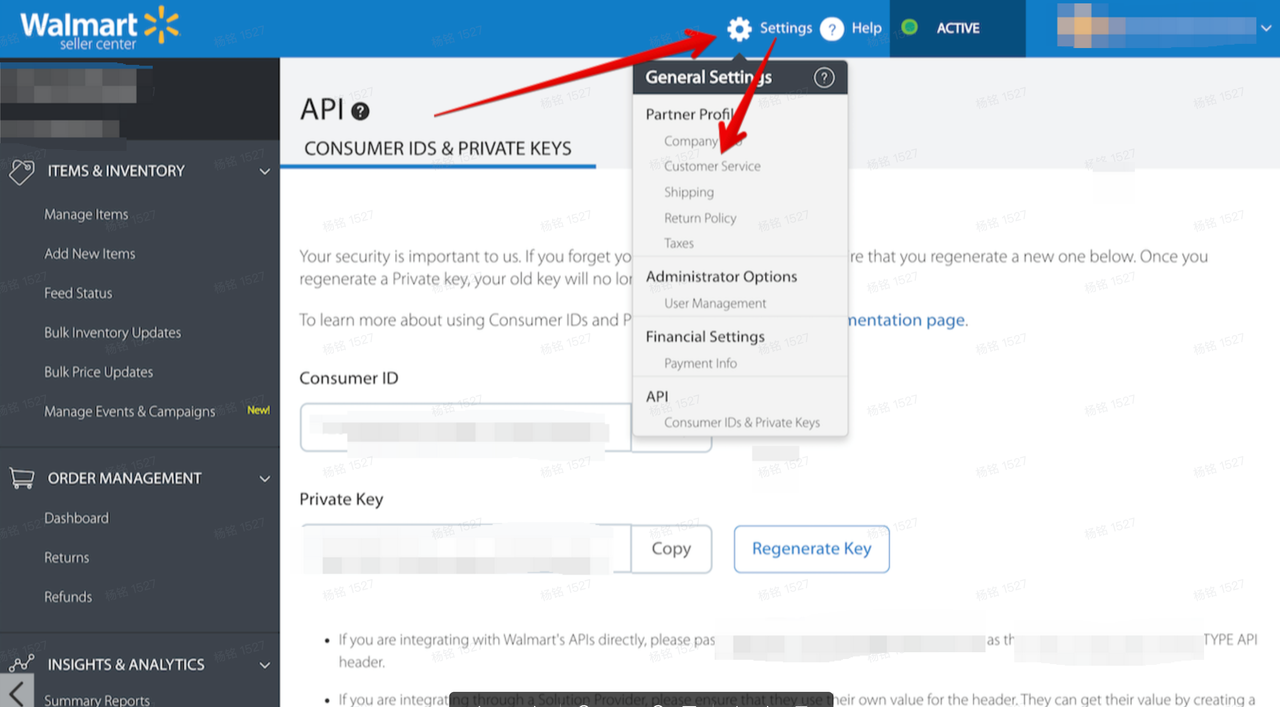
将您的 QuickCep 电子邮件粘贴到“Customer Service Email”和“Customer Service Escalation Email”字段中。然后点击屏幕底部的“Save”: